- Published on
Cleaning up unused routes in rails
Introduction
Over time, large Rails applications, like other big projects, accumulate technical debt. One place this cruft often appears is the routes file. There are many reasons for this: you might remove a feature without cleaning up its routes, or you might leave an unfinished feature intending to complete it later. Cleaning up your routes file by removing dead or obsolete code is a good practice. In this blog post, we’ll see how to use bin/rails routes --unused command to identify such code and how can we get rid of it.
- Rails routes —-unused command
- Searching unused routes with search options
- Restricting the Routes Created
- Removing unused or incomplete features
- Run in CI/CD Pipeline
- Limitations
- Conclusion
Rails routes —-unused command
Rails provides bin/rails routes --usused command from Rails v7.1 onwards, which lists all unused routes used in the application. According to documentation, the definition of unused is
An
unusedroute in Rails is a route that is defined in the config/routes.rb file but is not referenced by any controller action or view in your application
Additionally, if we look at the source code for this command, we see a function named unused?, shown below, which essentially matches the definition above.
def unused?
  controller_class_missing? || (action_missing? && template_missing?)
end
The definition and implementation are important to understand, as they clarify what this Rails command can and cannot do. We’ll also explore this command’s limitations and where it isn’t useful for refactoring or identifying dead code.
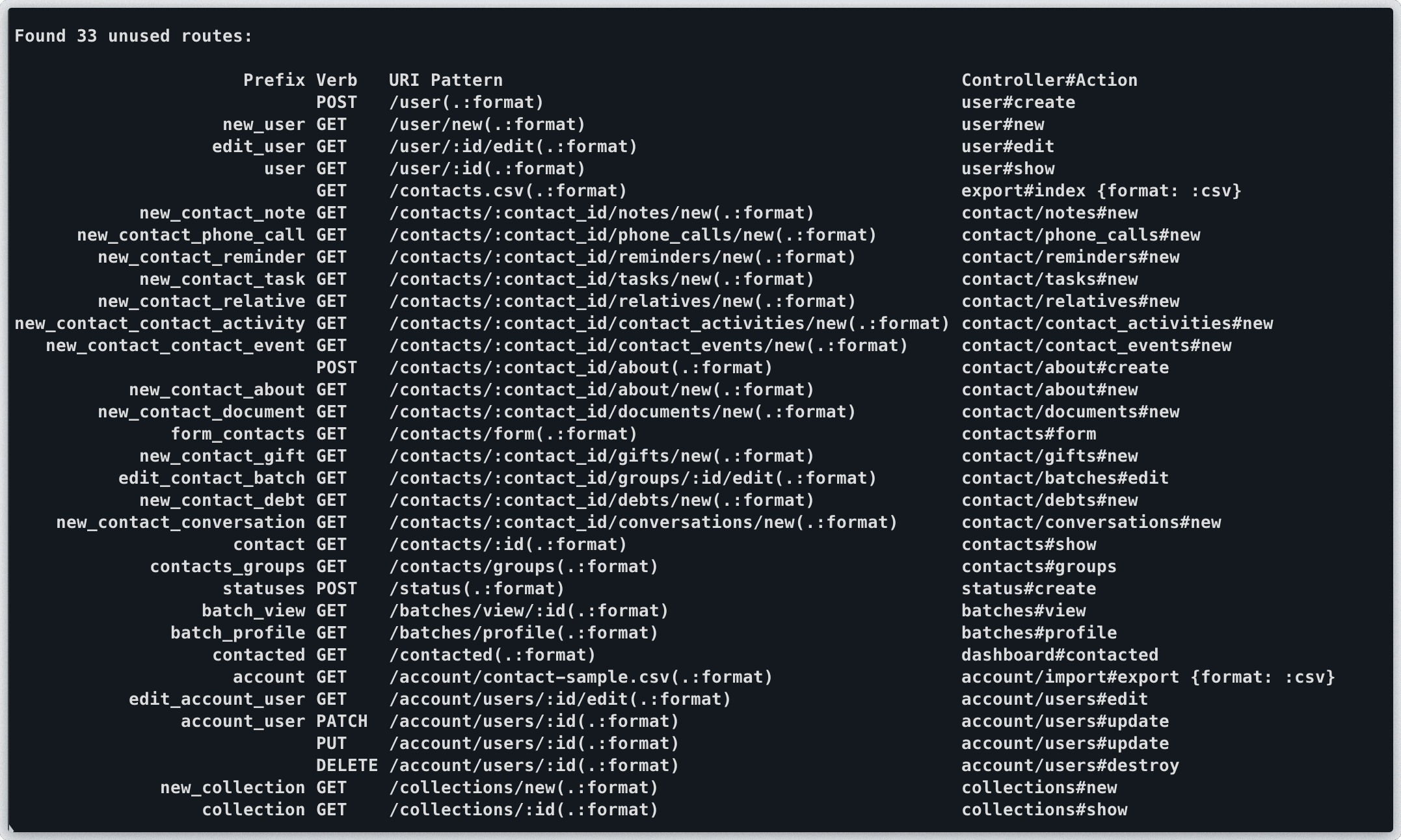
Here is the result of the command when we ran it in one of our product codebase in Best Talent. It lists down 33 unused routes in our application. Depending on size of your application, this list can be bigger or shorter.
Searching unused routes with search options
If the list of routes is long, you can use rails route search options with this --unused command as well. Rails provides two options for route searches i.e. -g for grep option and -c for controller option.
You can search through your routes with the grep option: -g. For example, unused POST routes can be found using bin/rails routes --unused -g POST.

-c option can be used to filter our controller specific unused routes. For example, here we are using controller search option to list all unused routes for a specific contact controller. 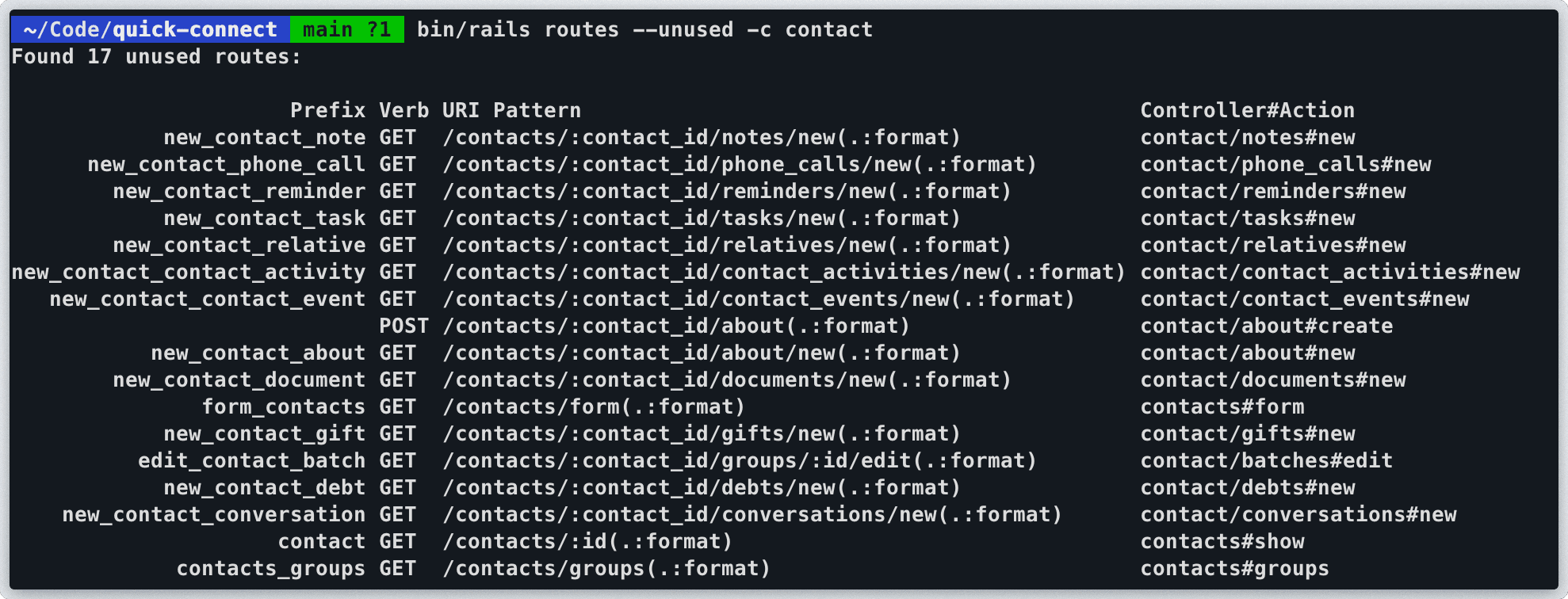 More details about searching routes can be found on official rails documentation.
Now that we can list unused routes—and can also search routes using the grep or controller options—let’s look at ways to remove them.
Restricting the Routes Created
By default, using resources creates routes for the seven default actions (index, show, new, create, edit, update, and destroy). You can use the :only and :except options to limit which routes are created.
The :only option tells Rails to create only the specified routes, while The :except option specifies a route or list of routes that Rails should not create.
You can use the controller search option, -c, to view routes one controller at a time, and remove unused routes by restricting route creation. If cleaning up all unused routes in the application at once feels overwhelming, you can refactor the routes while working on a specific controller or while fixing bugs in a controller you can quickly scan for unused routes.
Removing unused or incomplete features
If you removed a feature in the past but didn’t clean up the routes file, or you have incomplete features you hope to complete someday but they aren’t a priority right now, you can remove that code along with the corresponding routes.
Run in CI/CD Pipeline
These commands can also be used in your CI/CD pipeline to prevent developers from adding unused routes to the codebase in the future. You can also add them to custom check scripts that verify unused routes before pushing code to repositories.
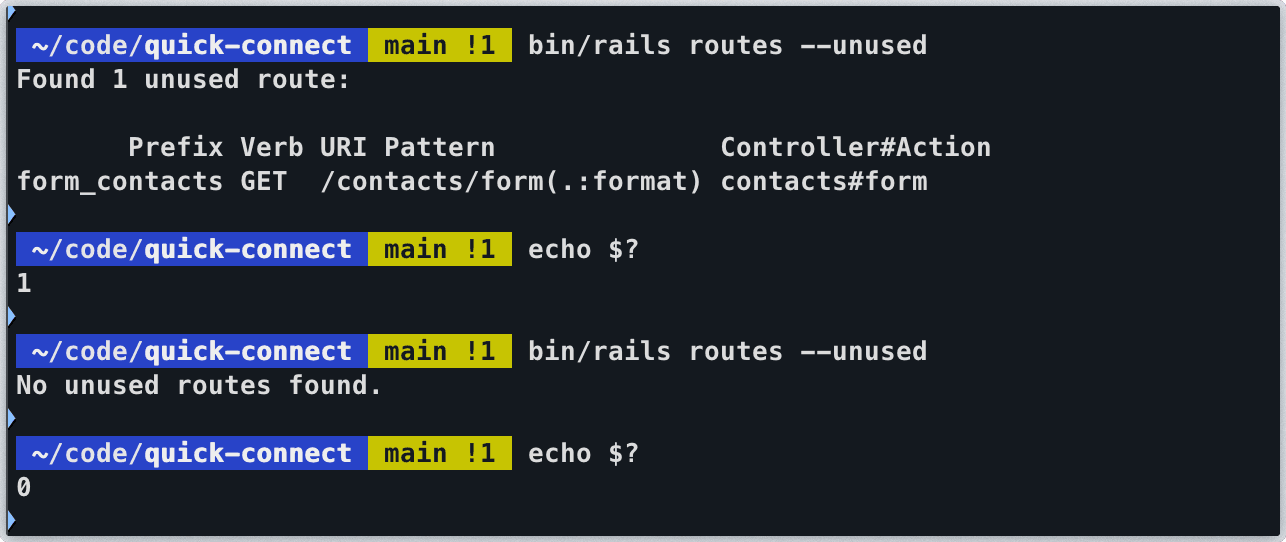
Here is an example of running echo $? to check the response of the command. In first case when there are unused routes, the command echo $? returns with 1, while in case of no unused routes, the command echo $? returns the response 0.
Limitations
To understand what --unused isn’t—and what it shouldn’t be used for—let’s go back to the definition of an unused route
An
unusedroute in Rails is a route that is defined in the config/routes.rb file but is not referenced by any controller action or view in your application
and its implementation
def unused?
  controller_class_missing? || (action_missing? && template_missing?)
end
- The command checks whether a controller is missing, or whether both the action and template are missing. However, a controller, action, and template may all exist while the route is never used or called anywhere in the application. In that case, you can’t use the
--unusedcommand to identify dead code (controllers), because such routes won’t appear in the unused routes list—the conditioncontroller_class_missing? || (action_missing? && template_missing?)is not satisfied. The command doesn’t verify whether a route is actually used in the project; it only ensures that a correspondingcontroller#actionexists for the route definition. - The command only checks routes defined in the config/routes.rb file. It does not find controllers or actions that aren’t referenced by any route. For example, obsolete code may exist in a controller even though no route is defined for it in routes.rb; the command won’t flag that controller. Hence you can not use
--unusedcommand to read a dead code/controller if a route for it does not exist in routes file. - When dealing with nested controllers (controllers placed within modules or directories), the scanner can easily flag routes as "unused" if your routing configuration does not explicitly reflect the directory structure. In example below,
scopeis being used to correct directory structure to make--unusedwork properly, although you might not want to arrange directories as shown.
# config/routes.rb
# --unused might fails here
resources :magazines do
  resources :ads
end

# using scoped routes to correct directory structure
resources :magazines do
  scope module: :magazines do
    resources :ads
  end
end
Conclusion
Using --unused command, we can identify unused routes and keep our routes file clean by removing extra routes. This specially becomes useful in large project where number of routes tend to grow. Although this command should not be used to find out all the dead code as explained above. Also before rails 7.1 we might have to use use a custom rake task or a gem like traceroute to identify unused routes.